

Battery life is one of the most frequent frustrations for phone and laptop users. With a few practical habits and small adjustments you can squeeze more usable time out of every charge and slow long-term capacity loss.
This guide gives clear, trustworthy tips you can apply today — from charging technique to software tweaks, accessories to storage. Read the sections that apply to your routine and use the checklist at the end to make the improvements stick.
Understand battery basics
Most modern phones and laptops use lithium-ion batteries. They don’t like extreme charge states (0% or 100%) or high temperatures. Focus on reducing deep discharges and prolonged full charges. When comparing device capacity or planning replacements, look at stated mAh and realistic runtime — for example, many tablets advertise high-capacity packs like the TECLAST T65 13.4″ tablet (8000mAh), which illustrates how capacity affects use but doesn’t change best-practice charging behavior.
Adopt smart charging habits
Fast charging is convenient but can increase heat and stress on the battery if used constantly. Avoid keeping devices at 100% for long periods — unplug when reasonably full. When commuting or traveling, use a reliable power bank rather than topping up with random low-quality chargers. A compact option to carry is a dedicated power bank like the Portable Charger with Built in Cables (10000mAh), which gives controlled fast charging and avoids repeated partial charges from unknown sources.
Reduce display and brightness drain
The screen is often the single biggest battery consumer on phones and laptops. Lower brightness, use adaptive brightness sparingly, shorten screen timeout, and prefer dark mode where available. If you use an external display at a desk, be aware that driving an additional screen impacts the laptop’s battery differently — when you can, plug the laptop into mains and use a power-efficient external like a single-purpose monitor rather than multiple high-refresh-rate screens such as the Samsung 34′ Odyssey G5 which is optimized for plugged-in gaming and drawing higher power when used at high brightness and refresh.
Manage connections and background services
Bluetooth, Wi‑Fi, GPS and background apps all consume power. Turn off Bluetooth or Wi‑Fi when you don’t need them. Listening with wireless audio can increment battery drain — for long passive listening, consider wired options or low-energy profiles. If you regularly use wireless audio, review device pairing and codecs to reduce constant reconnection overhead; also explore categories like Wireless Earbuds with low-latency, low-power profiles to minimize drain.
Watch peripherals and input devices
Wireless mice, keyboards and other accessories add to battery usage — some peripherals draw power from the host or require frequent recharging. Rechargeable input devices can be more efficient than those running disposable batteries. For example, a rechargeable vertical mouse with multi-device connectivity can reduce the hassle and waste of AA cells; consider products such as the Transformers Vertical Ergonomic Mouse to consolidate connections and avoid repeated replacements.
Choose efficient keyboards and accessories
Wireless keyboards vary widely in battery life. Some offer large internal batteries and smart sleep modes to last weeks between charges. If you use external input devices with your laptop, pick ones designed for long battery life or with built-in rechargeable packs — the Redragon K521KS wireless keyboard is an example of a high-capacity peripheral that reduces frequent charging cycles.
Audio, streaming and media: minimize unexpected drains
Playing media or streaming over cellular data can drain batteries quickly. Use Wi‑Fi when possible, download content for offline playback, and turn off background streaming services. External Bluetooth speakers are convenient but may encourage higher phone volumes and screen-on time; for short sessions consider compact speakers with independent power so your phone can sleep — for example, portable speakers like the Bluetooth Speaker, 20W HD Sound let you offload audio playback and preserve phone battery when appropriate.
Travel, emergency power and safety
On long trips or remote workdays plan for emergency power and possible car battery issues. A compact jump starter or multi-purpose emergency charger can save you if both devices and vehicle batteries fail. If you regularly travel by car, keep a reliable option like the category for Portable Car Jump Starters and an external power bank in your bag to avoid risky last-minute power hunts.
Physical care, temperature and storage
Keep devices cool and store them partially charged for long-term storage (around 40–60%). Avoid leaving devices in hot cars or direct sunlight. If you plan not to use a laptop or phone for weeks, power it to about half charge and switch off to minimize self-discharge and capacity stress. Regular cleaning of ports and vents also prevents heat buildup that shortens battery life.
Long-term maintenance and replacement planning
Batteries age and capacity will decline. Track battery health metrics in system settings and schedule replacements for laptops with removable or serviceable batteries when capacity drops significantly. For phones, consider professional replacement options or battery service from the manufacturer to restore usable time rather than replacing the whole device prematurely.
- Keep charge between ~20%–80% when convenient to reduce cycle stress.
- Avoid extreme temperatures and direct sunlight; cool is better than hot.
- Use quality chargers and a reliable power bank when mobile.
- Limit screen brightness, background apps, and unnecessary radios (Bluetooth/Wi‑Fi/GPS).
- Prefer rechargeable or high-capacity peripherals to reduce small-power drains.
FAQ
- Q: Is it bad to charge overnight?
A: Occasional overnight charging is fine, but avoid making it a daily habit for long-term battery health; use optimized charging features if available. - Q: Does turning off background apps help much?
A: Yes—background sync and location services can add up. Disable or restrict apps that frequently wake the device. - Q: Should I fully discharge my battery sometimes?
A: Not for lithium-ion batteries. Avoid deep discharges; shallow cycles are healthier. - Q: Do peripherals significantly affect laptop battery life?
A: Yes—wired and wireless peripherals draw power. Rechargeable, power-efficient devices reduce the impact. - Q: Are cheaper power banks risky?
A: Some low-quality chargers lack protection and can cause heat or damage. Use reputable power banks with proper specs and safety features.
Practical takeaway: adopt a few consistent habits — moderate charging (20–80%), lower display brightness, manage radios and apps, and carry a quality power bank — and you’ll see noticeably longer real-world battery life and slower capacity loss.
Products Featured in This Article

Bluetooth Speaker, 20W HD Sound, Po…
Product description The video showcases the product in use.The video guides you through product setup.The video…

TECLAST T65 13.4″ Android16 4…
From the brand TECLAST BRAND STORE Providing a pleasant user experience for customers is our main…
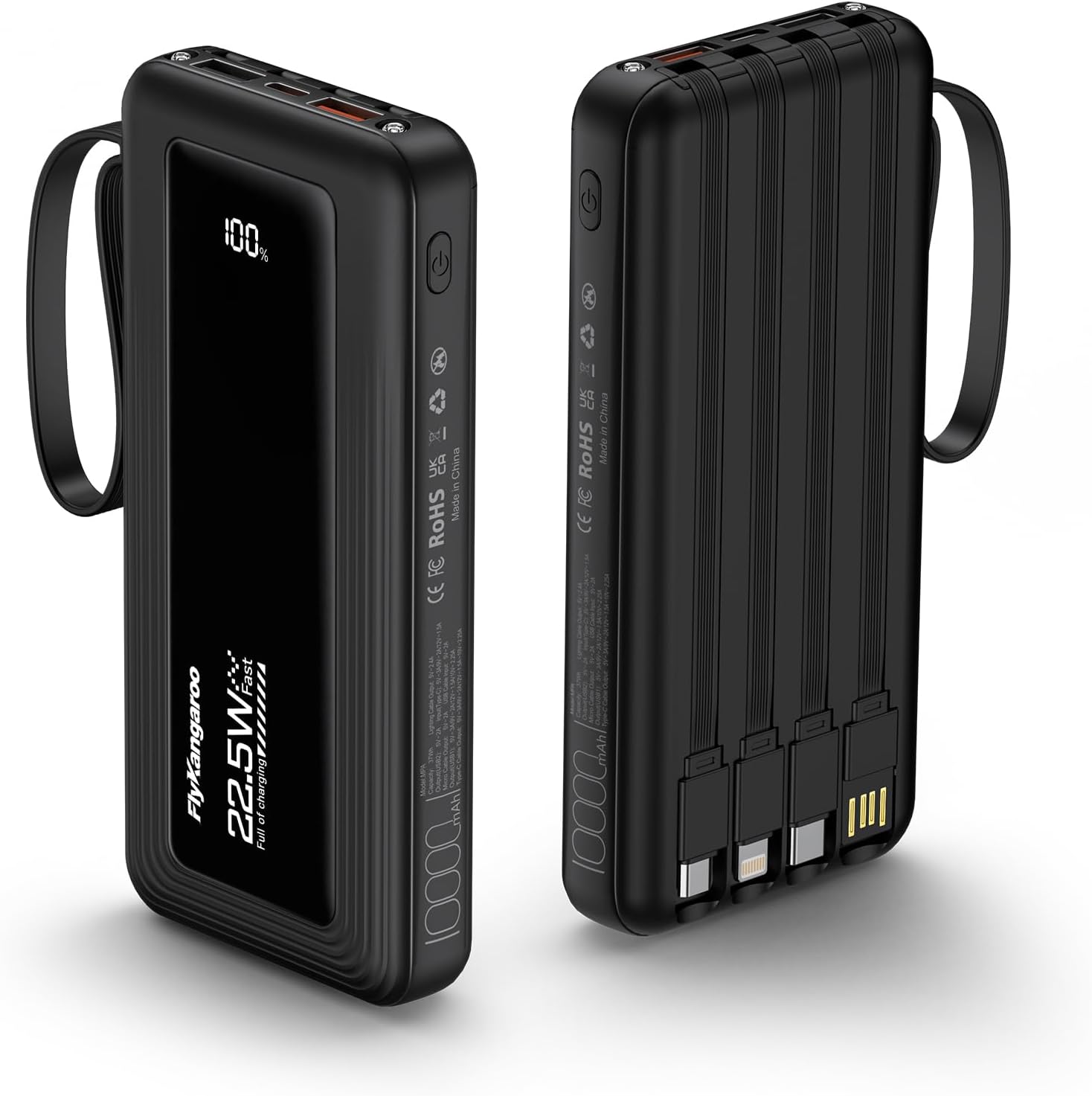
Portable Charger with Built in Cabl…
From the brand 22.5W Fast Charging Compact and Portable Built in Cables Portable Charger with Built-in…

Samsung 34′ Odyssey G5 Ultra-…
The all-encompassing 1000R display fills every part of your peripheral vision and draws you right into…

Redragon K521KS Wireless Gaming Key…
Product description 【Tri-Mode Connection & 4000 mAh Battery】The K521KS red dragon keyboard supports Bluetooth, 2.4GHz wireless,…

Transformers Vertical Ergonomic Mou…
Product description Transformers Ergonomic Rechargeable Mouse with LED Screen 3-Device Connectivity: 2.4 GHz + Dual Bluetooth…
Recommended Next Reads
Useful guides selected from topics related to this article.
 Guides
12 Sustainable Weight-Loss Habits You Can Start Today
12 Sustainable Weight-Loss Habits You Can Start Today Weight loss that lasts isn’t about quick fixes — it’s...
Read Guide
Guides
12 Sustainable Weight-Loss Habits You Can Start Today
12 Sustainable Weight-Loss Habits You Can Start Today Weight loss that lasts isn’t about quick fixes — it’s...
Read Guide
 Guides
Smart Food Storage Tips That Reduce Waste and Save Space
Smart Food Storage Tips That Reduce Waste and Save Space Good food storage saves money, reduces waste, and...
Read Guide
Guides
Smart Food Storage Tips That Reduce Waste and Save Space
Smart Food Storage Tips That Reduce Waste and Save Space Good food storage saves money, reduces waste, and...
Read Guide
 Guides
How to Organize a Small Kitchen Without Losing Counter Space
How to Organize a Small Kitchen Without Losing Counter Space Small kitchens can feel cramped quickly, but thoughtful...
Read Guide
Guides
How to Organize a Small Kitchen Without Losing Counter Space
How to Organize a Small Kitchen Without Losing Counter Space Small kitchens can feel cramped quickly, but thoughtful...
Read Guide